Moderation
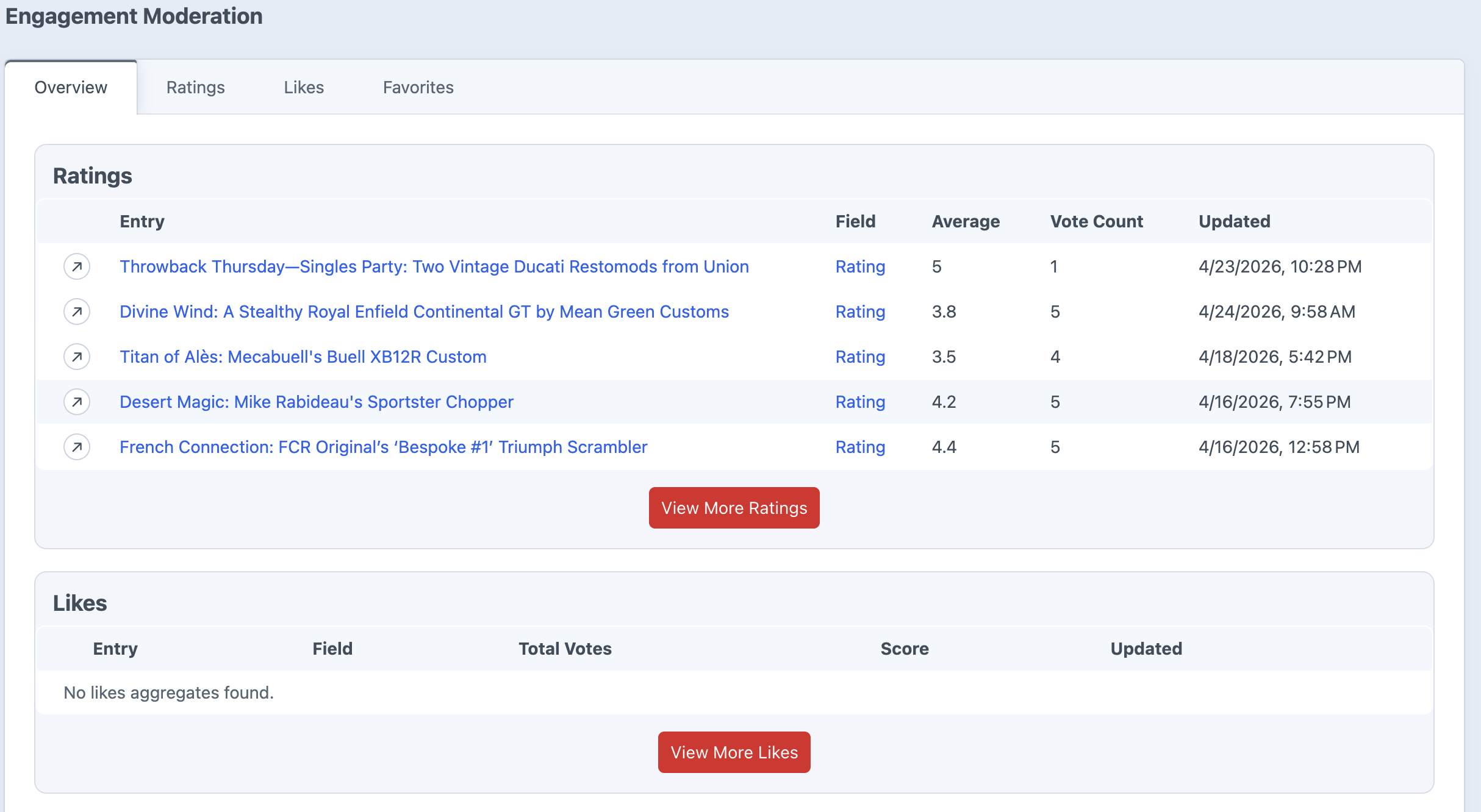
The Engagement moderation area gives you a control panel view of rating, like/dislike, and favorite activity across your site. Use it to see which entries are getting interaction, inspect individual votes, and clean up activity when needed.
Overview
The overview screen shows recent activity across all three engagement types:
- Ratings: See entries with rating activity, average rating, and vote count.
- Likes/Dislikes: See like totals, dislike totals, total votes, and score.
- Favorites: See entries with favorite activity and favorite counts.
Filtering and Sorting
Each moderation tab includes search, sorting, and pagination controls so you can find the entries that need attention.
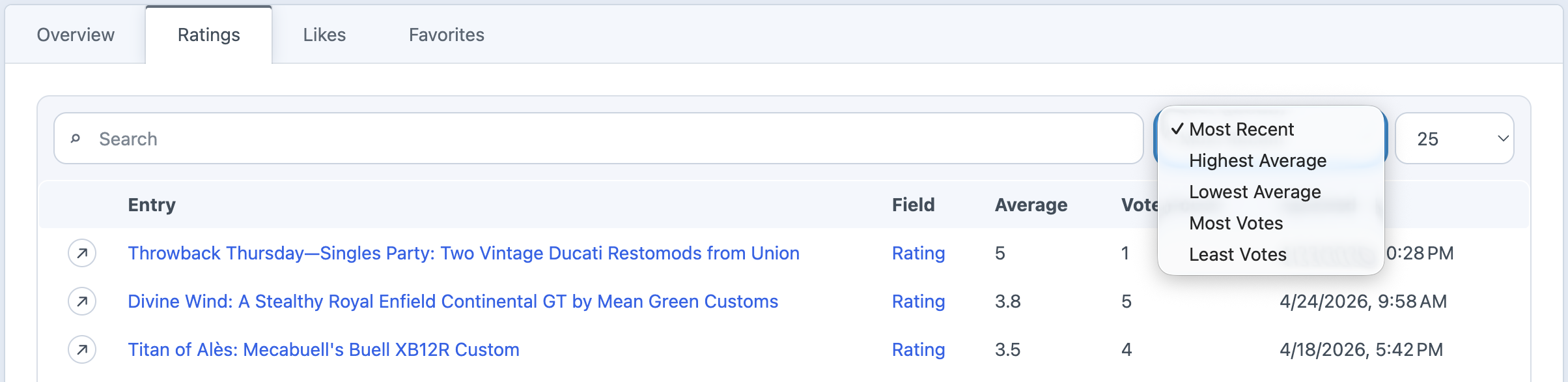
- Ratings can be sorted by most recent, highest average, lowest average, most votes, or least votes.
- Likes/Dislikes can be sorted by score, total votes, likes, dislikes, or most recent.
- Favorites can be sorted by most recent, most favorites, or least favorites.
Activity Details
Open an aggregate row to view the individual activity behind it. Detail pages show the entry, field, totals, and individual rows for each interaction.
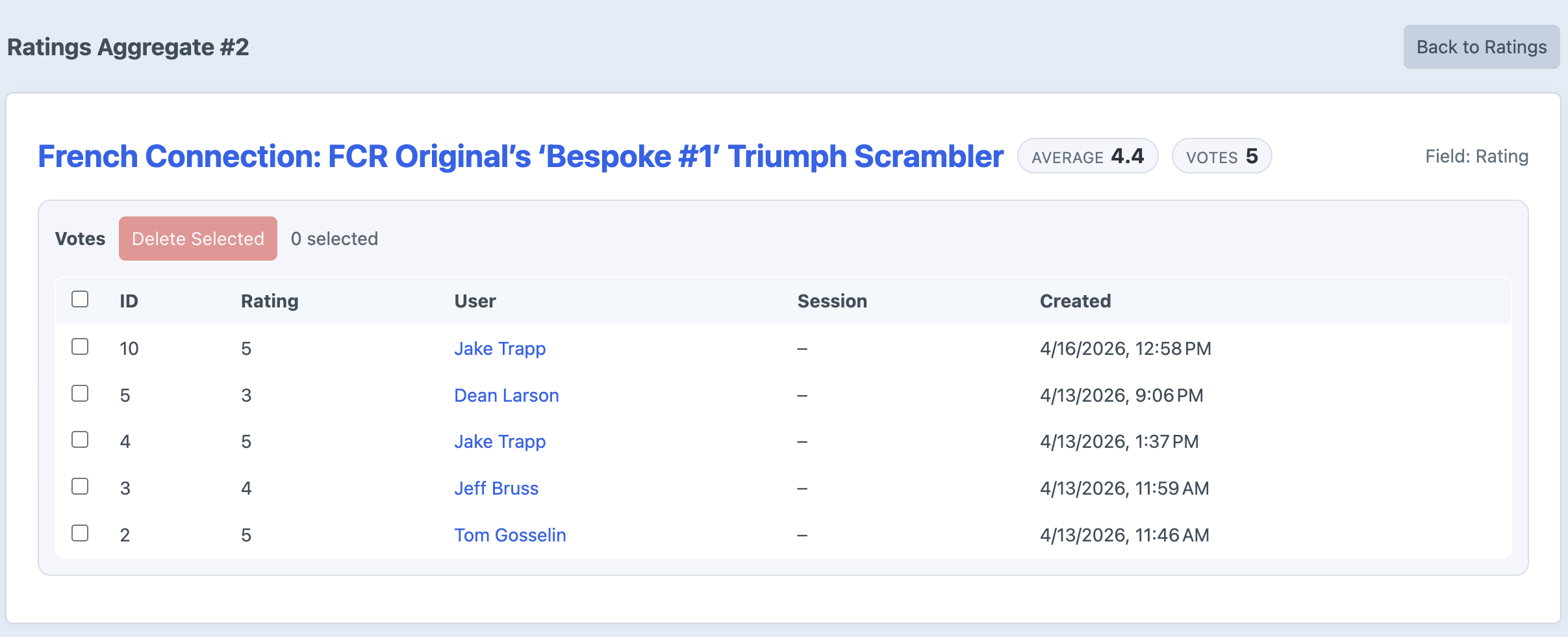
For ratings and likes/dislikes, you can see the individual vote value, user, session ID, and created date. For favorites, you can see who favorited the entry, their session ID, and when it happened.
Users and Guests
Logged-in activity links back to the Craft user when available. Guest activity is labeled as Guest and includes the session ID used to track the interaction.
This makes moderation useful for both member-only and guest-enabled interaction setups.
Deleting Activity
On detail pages, you can select individual rows and delete them. After rows are deleted, Engagement recounts the aggregate totals so the entry’s rating, like/dislike, or favorite count stays accurate.
Recount Tools
If aggregate totals ever need to be rebuilt, Engagement also includes console recount commands for ratings, likes/dislikes, and favorites. The main use case for this would be if something got corrupted in the database. Not something that should be needed ever, but there if needed.
php craft engagement/recount/rating --all
php craft engagement/recount/like --all
php craft engagement/recount/favorite --all
You can also recount a single aggregate by passing its ID instead of using --all.