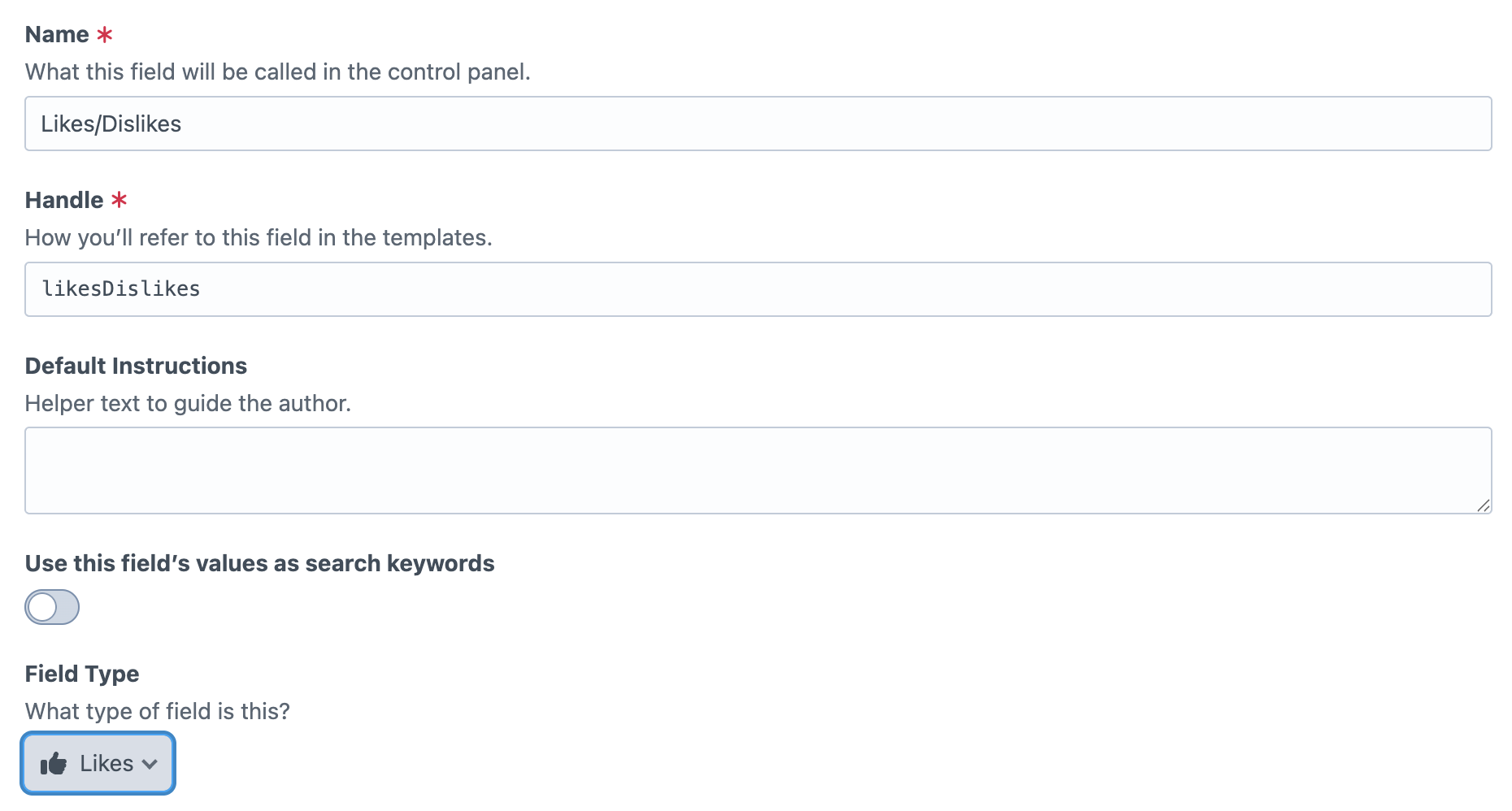
***Note*** By default the field settings has the field disabled for all entries. This can either be turned on for all entries or the editors will need to be set up with the ability to turn it on an entry by entry basis.
Data model and metrics
Use these Likes field properties in Twig to read current counts, behavior settings, icon/text configuration, and the current user’s vote state. You’ll typically access them from your field handle (for example, entry.likesHandle.likeCount) and output what your template needs.
Setting
Description
enabled
Whether the likes/dislikes widget is enabled for this entry.
id
Aggregate record ID for this entry/field/site context.
elementId
Craft element ID this likes field belongs to.
fieldId
Craft field ID for this likes field.
siteId
Site ID for this likes/dislikes context.
likeCount
Total number of likes.
dislikeCount
Total number of dislikes.
icon
Active icon mode (thumbs, emoji, none, customSvg).
emojiIcon
Legacy emoji alias (kept for backwards compatibility).
likeEmojiIcon
Emoji used for the like button in emoji mode.
dislikeEmojiIcon
Emoji used for the dislike button in emoji mode.
beforeLikeColor
Background/color value used for Like before a like vote is active.
afterLikeColor
Background/color value used for Like when a like vote is active.
beforeDislikeColor
Background/color value used for Dislike before a dislike vote is active.
afterDislikeColor
Background/color value used for Dislike when a dislike vote is active.
likeCustomSvg
SVG markup used for the like icon in customSvg mode.
dislikeCustomSvg
SVG markup used for the dislike icon in customSvg mode.
allowGuestInteractions
Whether guests can submit like/dislike interactions.
allowVoteChange
Whether users can switch or remove their vote after voting.
headingText
Optional text shown above the likes/dislikes widget.
likeText
Optional label text for the Like button.
dislikeText
Optional label text for the Dislike button.
userVote
Current user’s vote state: 1 (like), -1 (dislike), or null (no vote).
totalVotes
Computed value: total likes + dislikes.
score
Computed value: likes minus dislikes.
Field settings
The Likes/Dislikes field settings let you control how the widget looks, behaves, and can be customized by editors. At a high level, you configure the visual style (icon mode and state colors), interaction rules (guest access and whether users can change votes), display text, and optional per-entry override permissions for editorial teams.
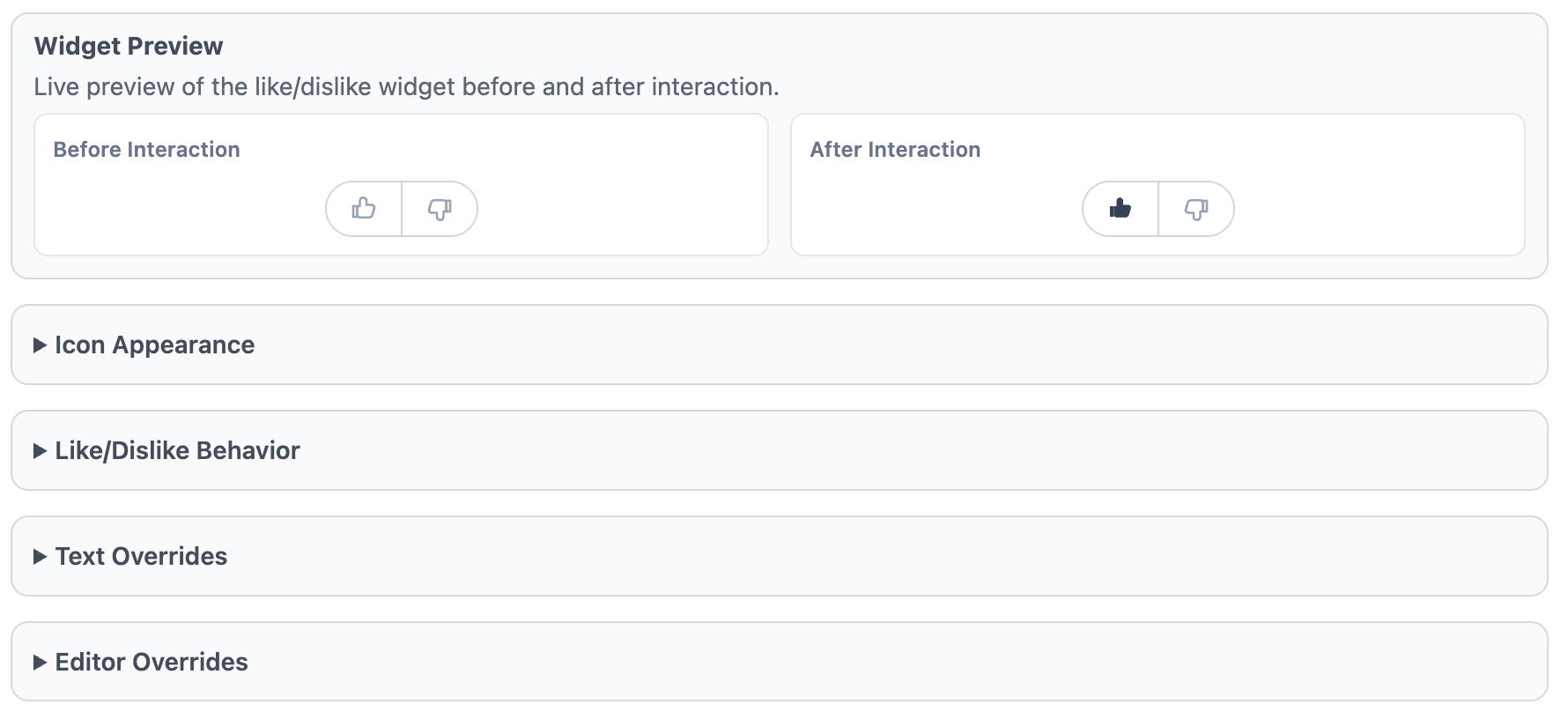
Widget Preview
The Widget Preview shows a live “Before Interaction” and “After Interaction” example so you can quickly validate icon style, color states, and text settings before saving. It is a visual check only and does not cast real likes/dislikes.
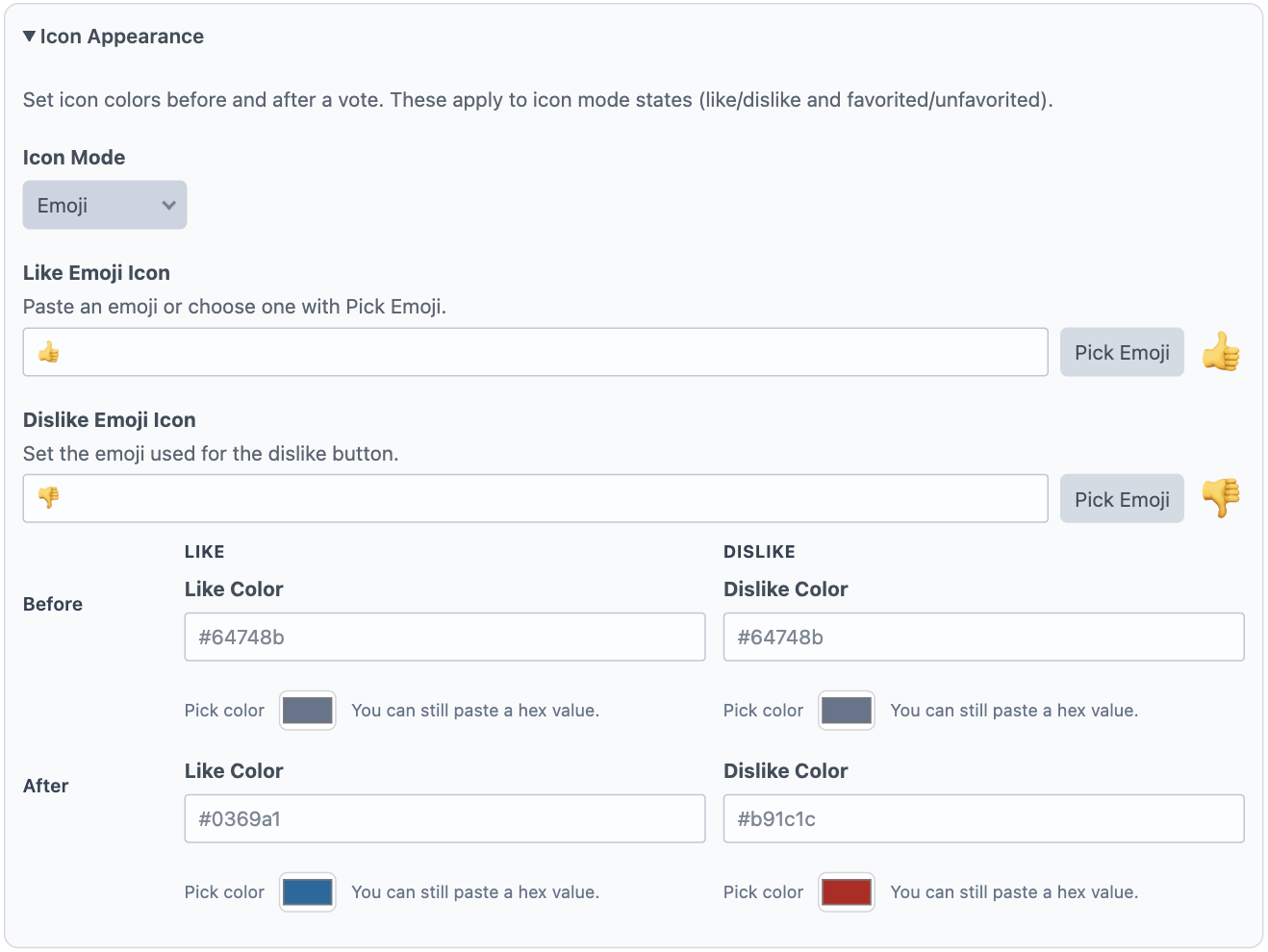
Icon Appearance
Use Icon Appearance to choose how like/dislike buttons are rendered. Icon Mode supports built-in options (thumbs, emoji, none, and custom SVG). If you select Emoji, set both Like Emoji Icon and Dislike Emoji Icon. If you select Custom SVG, provide SVG markup for both the like and dislike icons. You can also define before/after color states for both buttons.
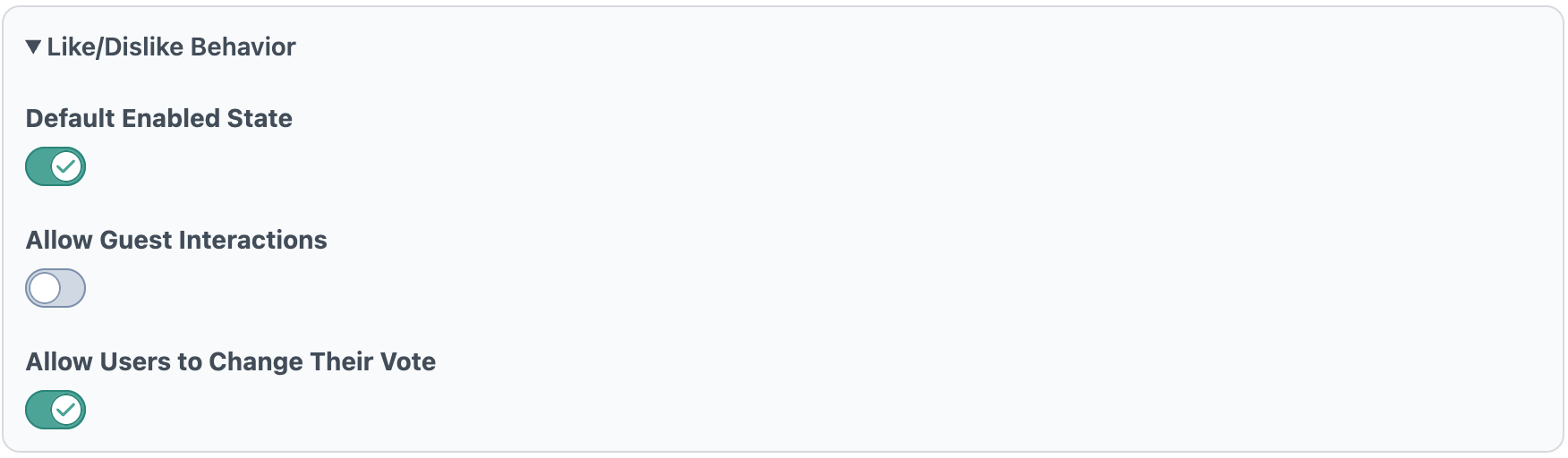
Like/Dislike Behavior
Default Enabled State determines whether new elements start with the widget enabled. Allow Guest Interactions controls whether non-logged-in visitors can like/dislike. Allow Users to Change Their Vote controls whether users can switch vote direction or remove their vote after interacting.
Text Overrides
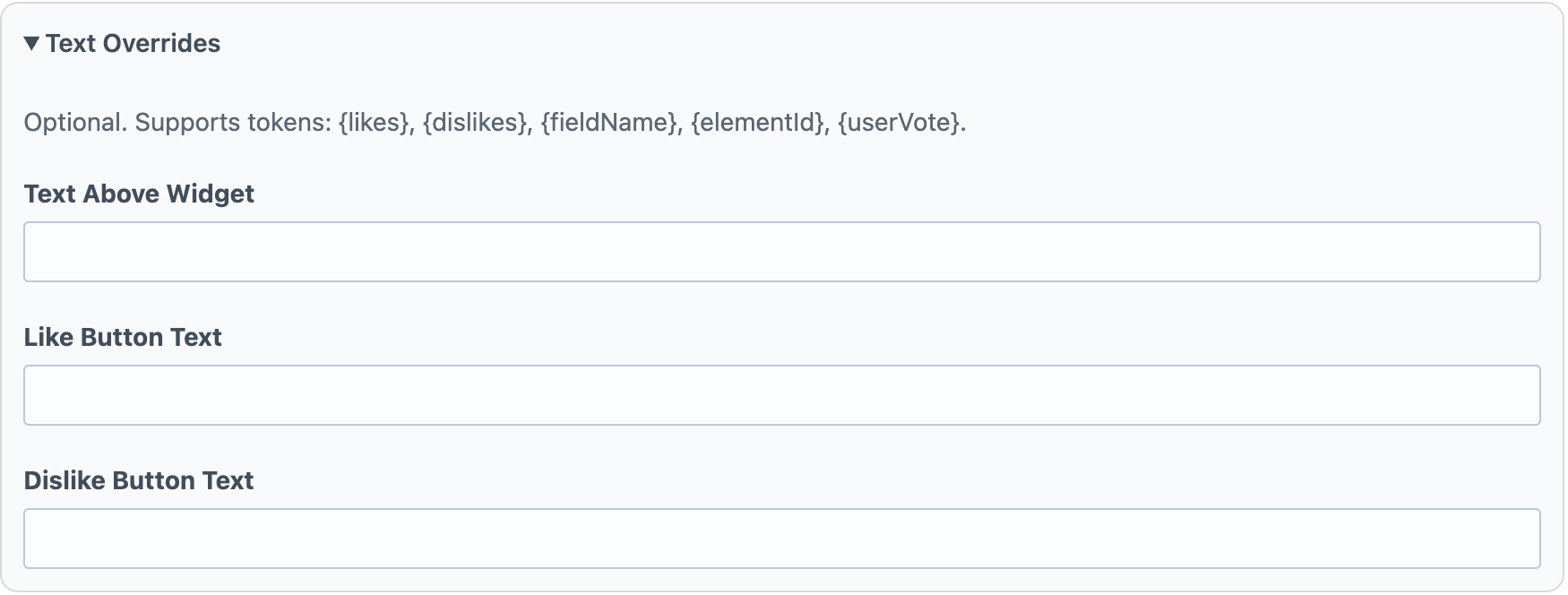
Text Overrides controls optional messaging around the widget. Text Above Widget appears above the control, while Like Button Text and Dislike Button Text define button labels. These fields support tokenized values such as counts and vote state.
Editor Overrides
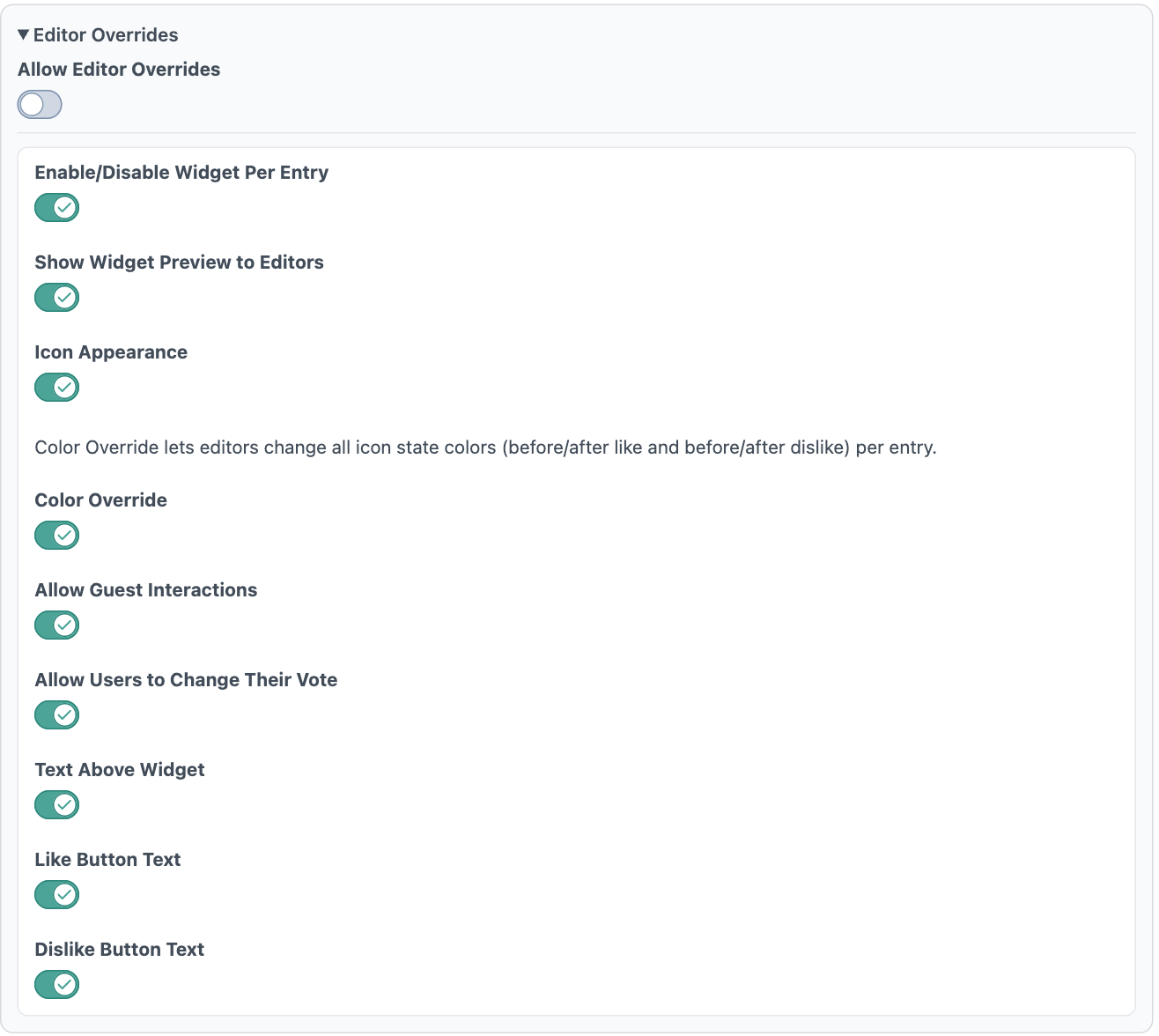
Allow Editor Overrides is the master switch for per-entry customization. When enabled, you can grant granular permissions for what editors may change per entry: widget enabled state, preview visibility, icon appearance, icon colors, guest interaction behavior, vote-change behavior, and text override fields. This keeps defaults consistent while allowing controlled flexibility at the content-entry level.