If your WordPress site has become slow, difficult to manage, or dependent on too many plugins, migrating to Craft CMS can give you a cleaner and more flexible foundation.
I help businesses move their existing WordPress sites to Craft while preserving important content, URLs, and functionality. My goal is to help get you a site the performs for you with no headaches.
When Does a WordPress to Craft Migration Make Sense?
A WordPress to Craft migration may be a good fit if:
- Your WordPress site has become slow or bloated
- Your content structure does not fit the way your team works
- Your editors are frustrated with the admin experience
- You want more control over the design and functionality of the site
- You are planning a redesign or rebuild anyway
Some potential benefits for you:
- Better performance
- Less plugin bloat
- Cleaner content management
- Better long-term maintainability
- A cleaner admin experience
- More control over SEO and page structure
If you already dislike working in WordPress, Craft may be a better fit. It gives you a more custom content management experience without forcing everything into the same page builder or plugin-heavy structure.

My Experience With WordPress to Craft Migrations
I have worked professionally on a WordPress to Craft CMS migration, and the process went smoothly. The site moved from a WordPress setup with more plugin overhead into a cleaner Craft build that was easier to manage and better suited for the long term.
After the migration, there were clear benefits. The site had less bloat, performed better, and reduced some of the ongoing costs tied to image handling, plugin support, and general WordPress maintenance. We also saw positive movement in users after the site was moved over and improved.
One of the biggest concerns with any CMS migration is how editors will adjust. In my experience, editors who were used to WordPress picked up Craft quickly. The transition was not overly difficult, and the Craft admin panel ended up being clean and easy for the team to work in.
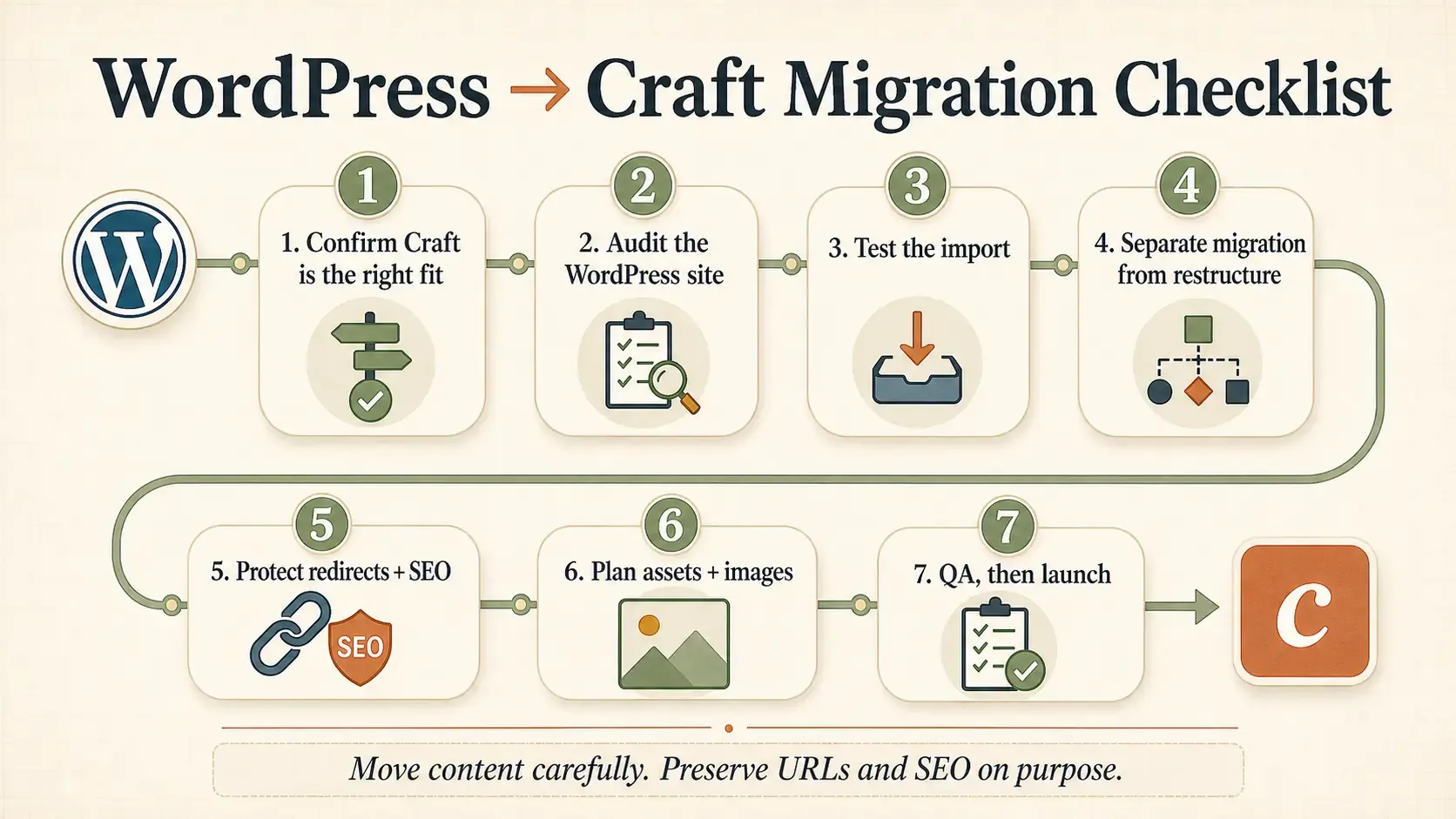
What the Migration Process Can Include
A WordPress to Craft CMS migration can include:
- Reviewing the current WordPress site
- Mapping existing content into Craft
- Rebuilding templates in Craft
- Migrating pages, posts, assets, and structured content
- Preserving important URLs where possible
- Setting up redirects
- Improving performance
- Setting up a better editing experience
- Launch support and post-launch fixes
Craft also has tooling and support that can help with the content migration process, which makes moving content from WordPress to Craft more manageable. If you want a clearer picture of what I usually look at before a move, I wrote out my WordPress to Craft pre-migration checklist.
Things to Consider Before Migrating
A migration is still a real project. Switching frameworks takes time, planning, and budget. It is not always the right move if your current WordPress site is working well and does everything you need.
The biggest downside is the cost and effort of moving to a new system. Your site needs to be rebuilt in Craft, your content needs to be moved carefully, and your team needs to learn a new admin experience. Those are real downsides that should be considered.
That said, the learning curve for Craft editors is usually not the painful part. In my experience, teams familiar with WordPress can pick up Craft without much trouble. The bigger effort is usually planning the new structure and rebuilding the site the right way.
Price of Migration
In most cases the cost of moving to a different system is more than the cost of building a website from scratch because of the aditional migration process. My pricing for the migration starts at $1500 on top of my normal website fees, currently set to a founder discount of $1000, for small and simples sites. (See full details for website development here: Craft CMS Website Development). The price can quickly go up from there depending on the complexity and size of the site. Feel free to contact me with your site details for a quick quote.
My Approach
I focus on making the migration as practical as possible. The goal is not just to move content from one CMS to another. The goal is to use the migration as a chance to make the site cleaner, faster, easier to manage, and better suited for the future.
Before anything is moved, I would look at what your current WordPress site is doing, what content needs to come over, what can be improved, and where Craft can make the site easier to work with long term.
If you are looking to move away from WordPress, I am sure you already have a list of things that your new site needs and I would love to hear about those.
If you are thinking about moving from WordPress to Craft CMS, send me a few details about your current site and what is not working for you. I can help you figure out whether a migration makes sense and what the best path forward would look like.